# Preferiti

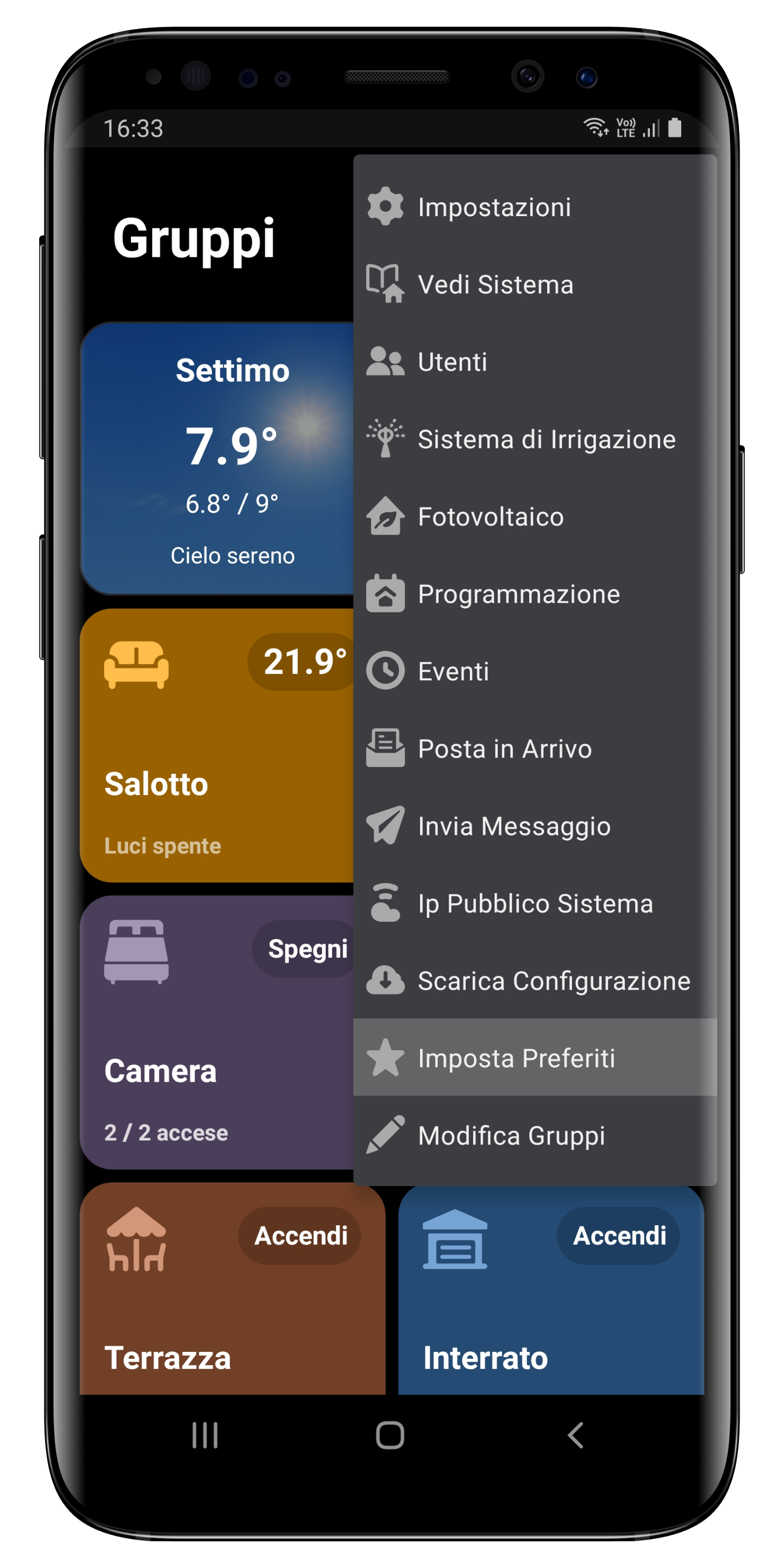
Per aggiungere le scorciatoie più usate alla *Home* è sufficiente cliccare sui tre puntini in alto a destra, quindi **Imposta Preferiti**.

<div align="left"><img src="/files/YLFP0ogUrvn5GdNjHsci" alt="" width="300"></div>

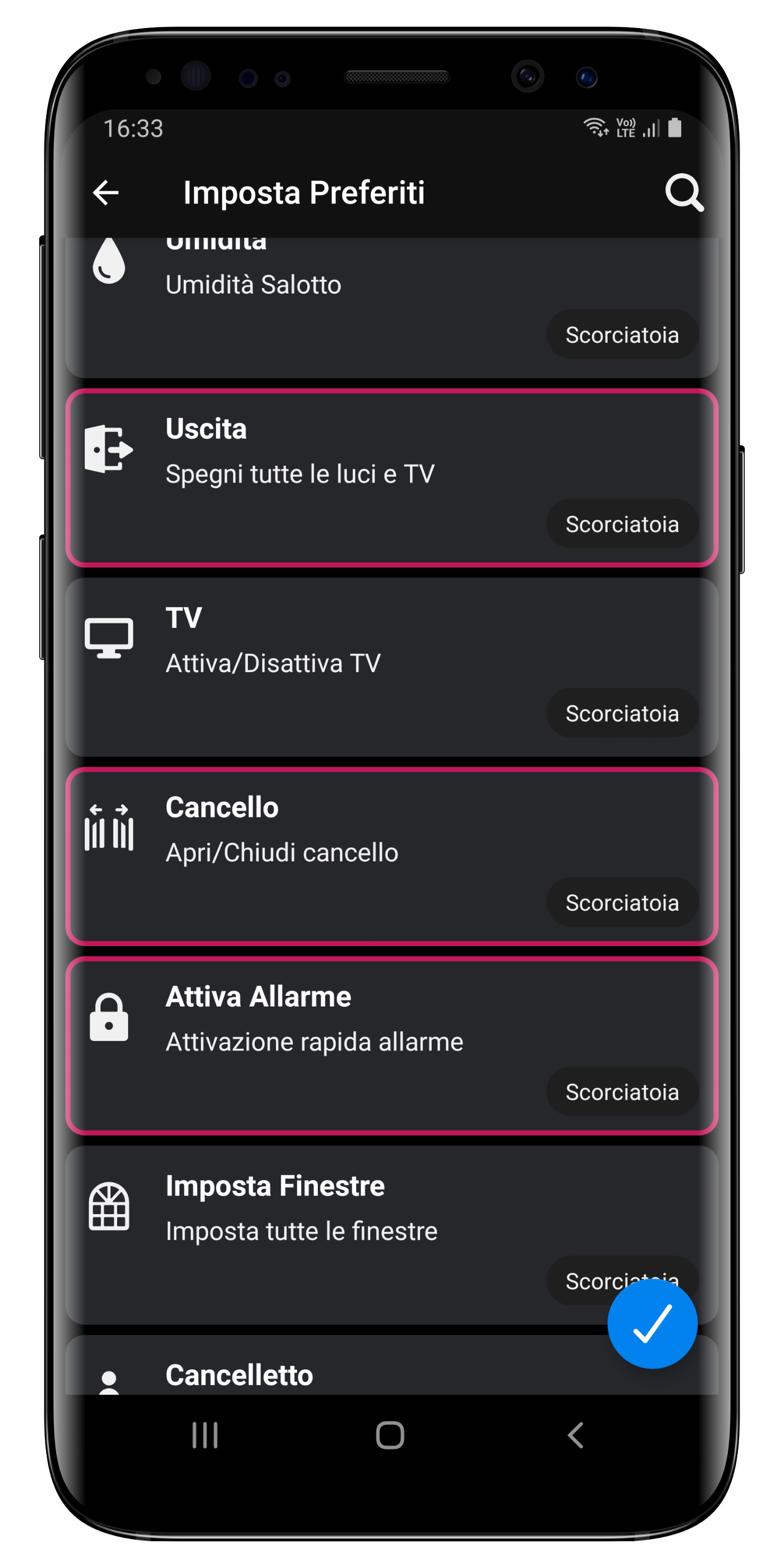
Si aprirà una pagina che ti permetterà di scegliere le Scorciatoie da aggiungere come preferiti, quindi clicca il tasto in basso a destra per confermare.

<div align="left"><img src="/files/4jvOZYPk1EzHFSo8YAgy" alt="" width="300"></div>

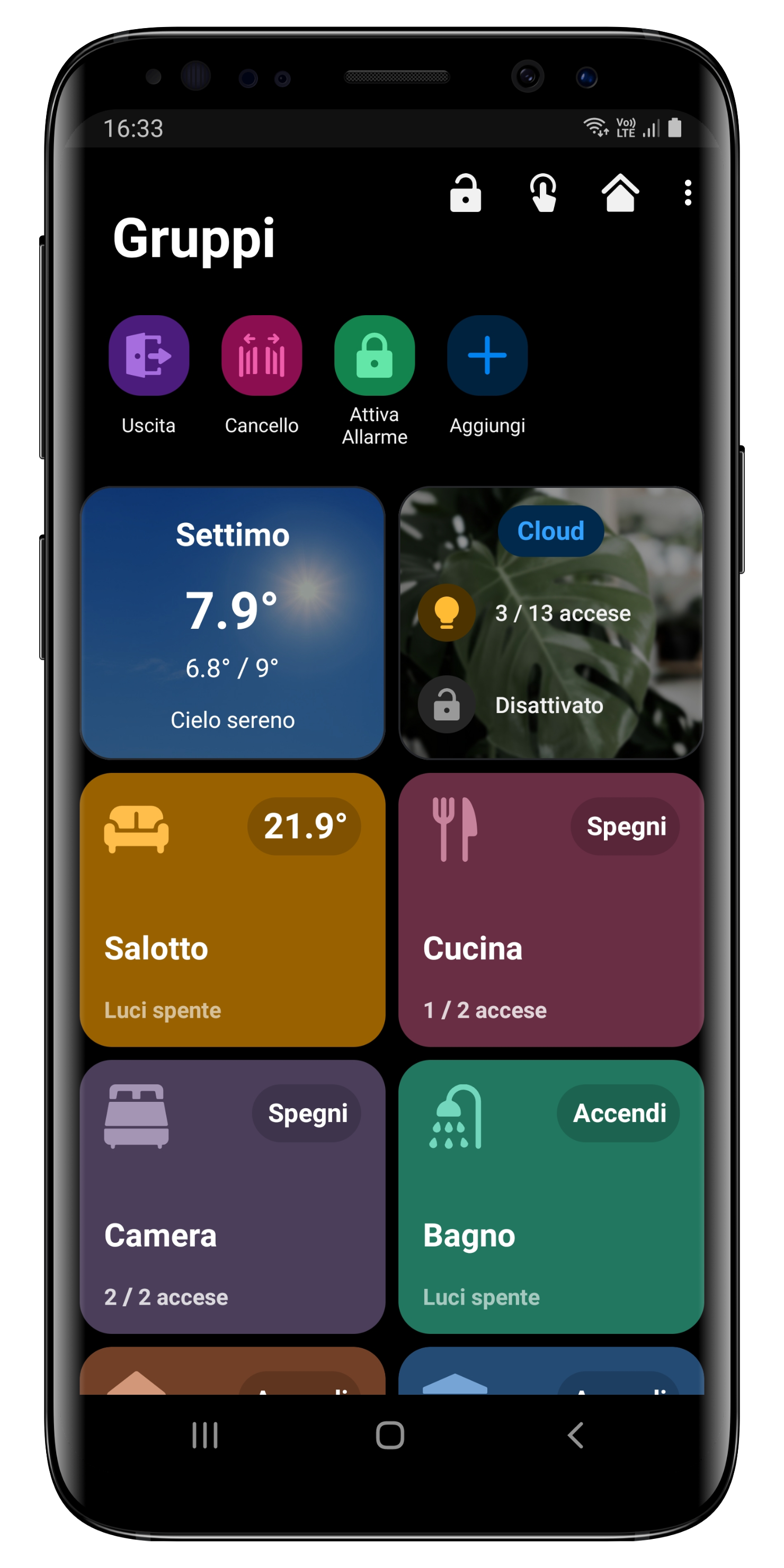
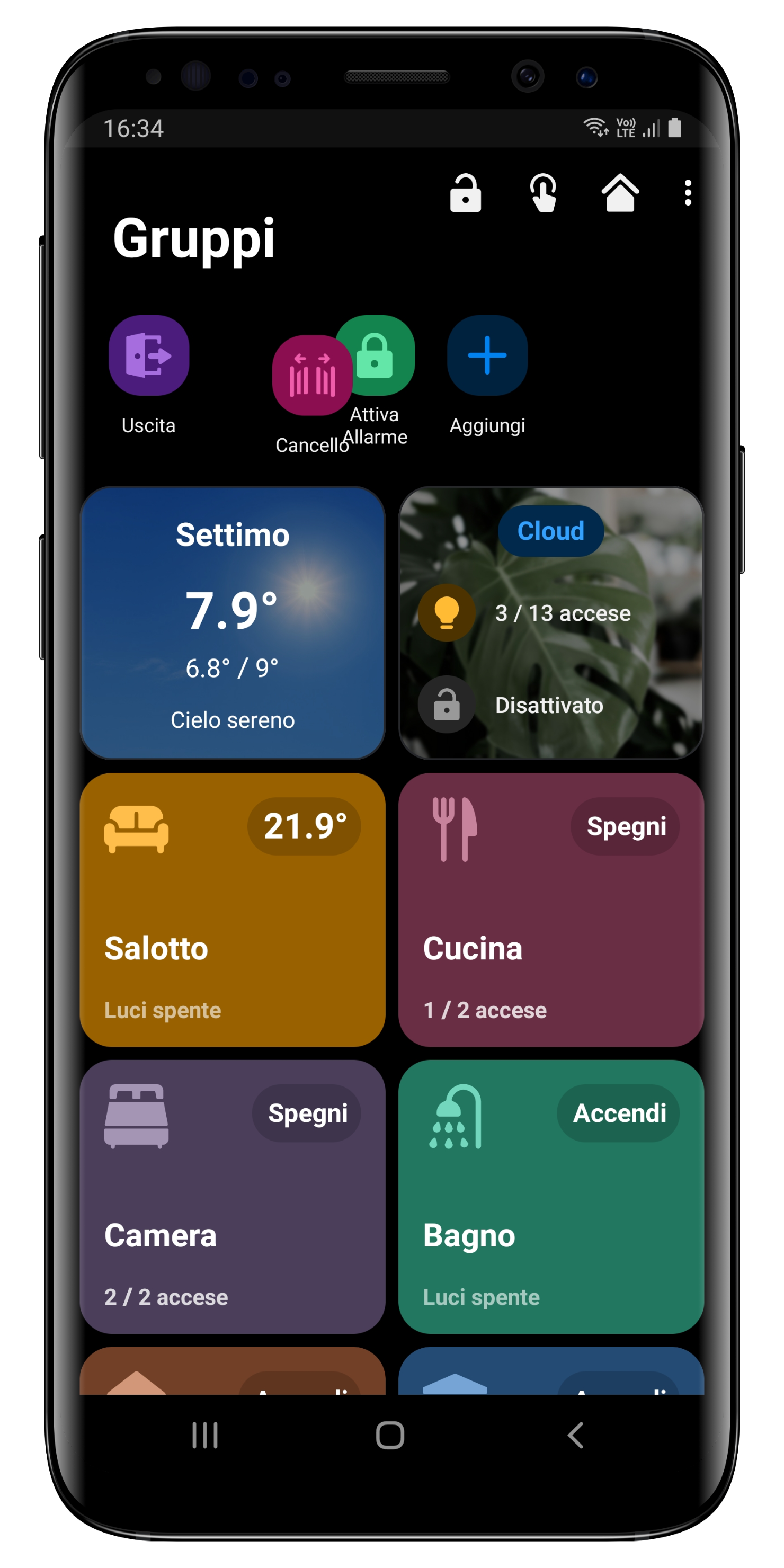
Di seguito un esempio di come vengono visualizzati i preferiti.

<div align="left"><img src="/files/543ebkPizOvvdQxWTL8b" alt="" width="300"></div>

{% hint style="info" %}
Per riordinare i preferiti è sufficiente tenere premuto sull'elemento che desideri spostare.
{% endhint %}
<div align="left"><img src="/files/fcVYbYkgfrJldeLajXJt" alt="" width="300"></div>


---

# Agent Instructions: Querying This Documentation

If you need additional information that is not directly available in this page, you can query the documentation dynamically by asking a question.

Perform an HTTP GET request on the current page URL with the `ask` query parameter:

```
GET https://docs.ohmautomation.io/android/guide/favorites.md?ask=<question>
```

The question should be specific, self-contained, and written in natural language.
The response will contain a direct answer to the question and relevant excerpts and sources from the documentation.

Use this mechanism when the answer is not explicitly present in the current page, you need clarification or additional context, or you want to retrieve related documentation sections.