> For the complete documentation index, see [llms.txt](https://docs.ohmautomation.io/llms.txt). Markdown versions of documentation pages are available by appending `.md` to page URLs; this page is available as [Markdown](https://docs.ohmautomation.io/android/guide/scheduling.md).
# Programmazione Oraria
La programmazione oraria ti permette di eseguire una serie di operazioni all'orario e nei giorni della settimana desiderati, automatizzando così le tue *routine*.
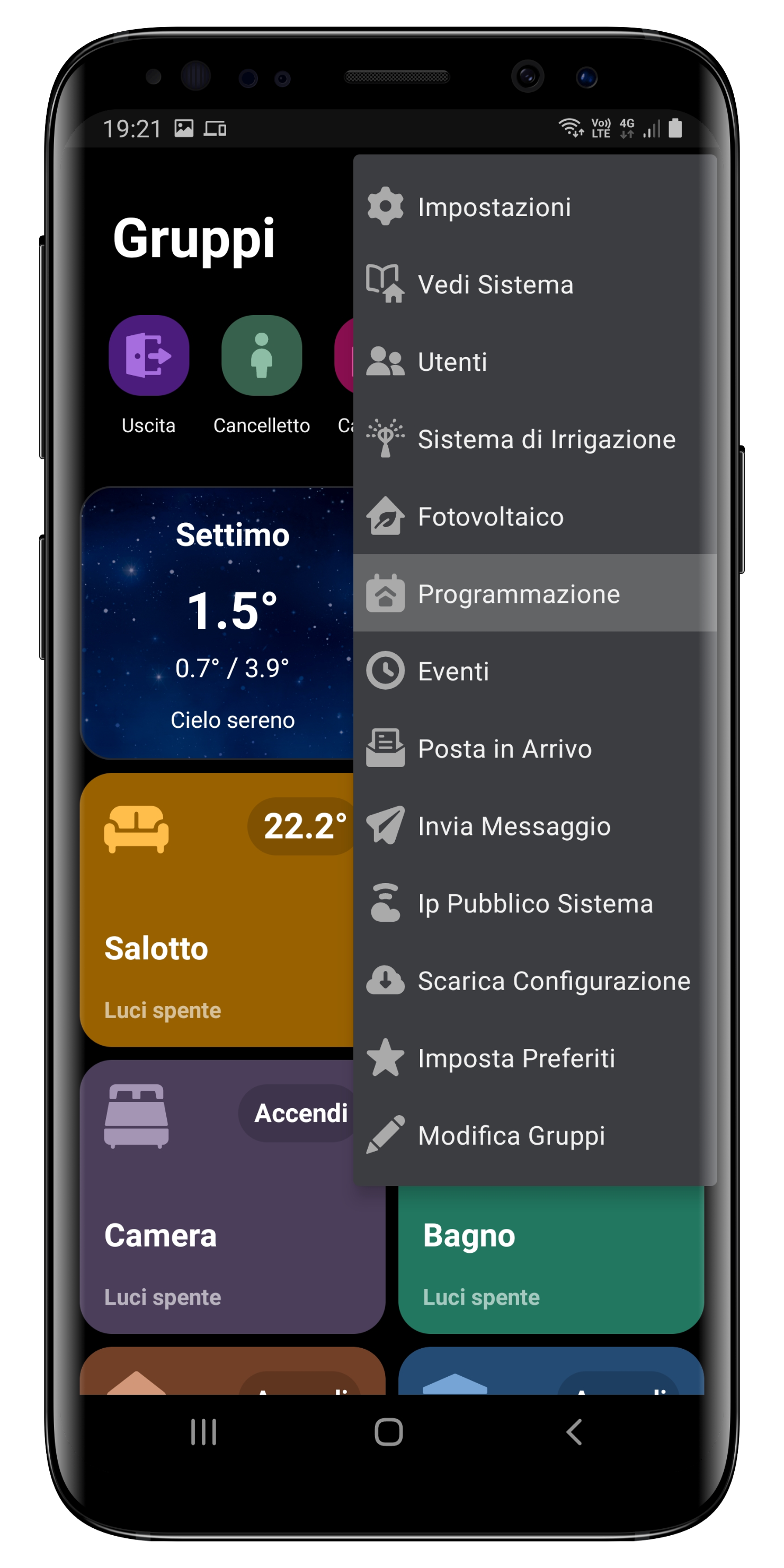
Clicca sui tre puntini in alto a destra, quindi sul tasto *Programmazione*.
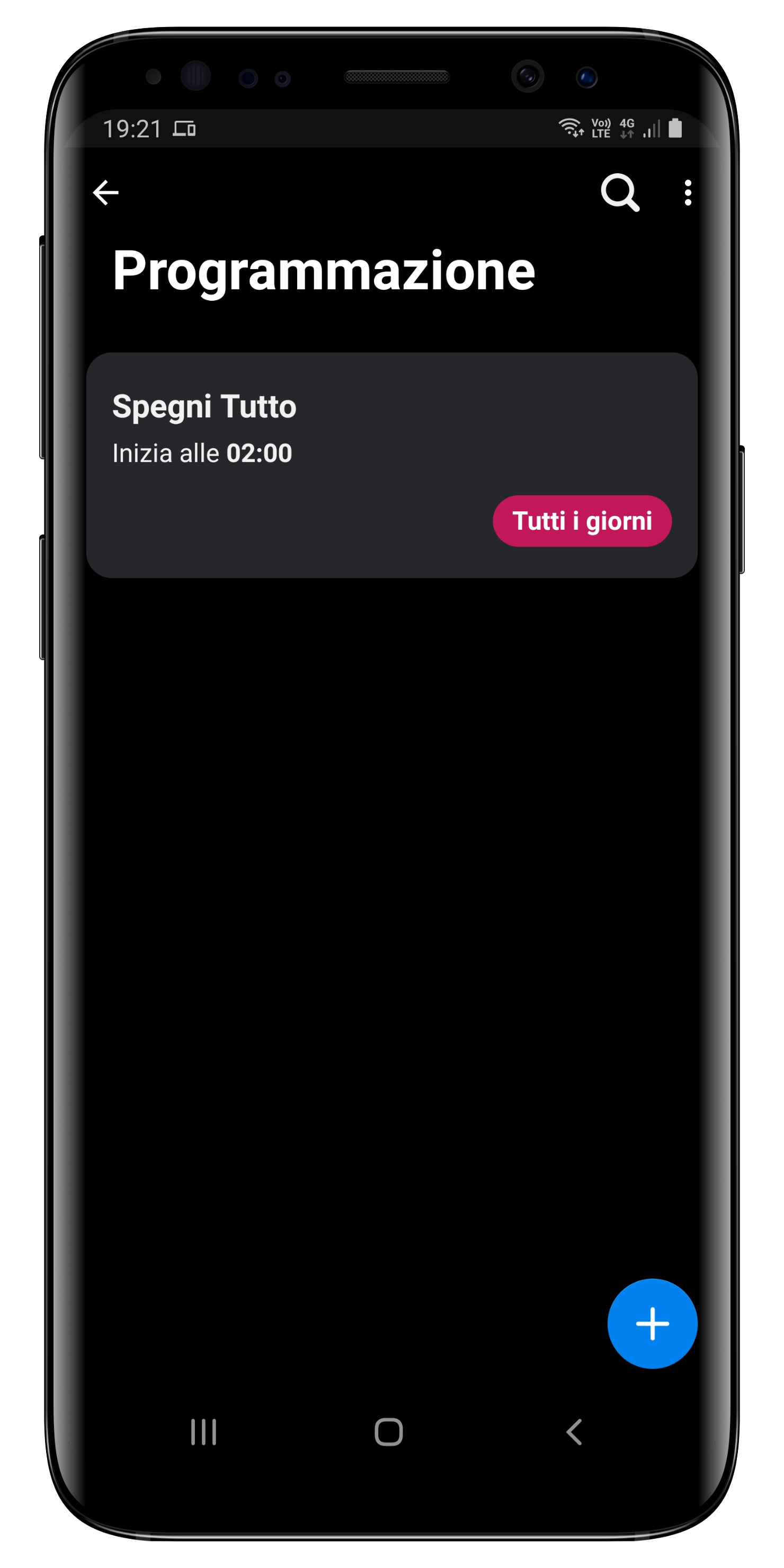
Per aggiungere nuovi eventi è sufficiente cliccare sul tasto **+** in basso a destra.
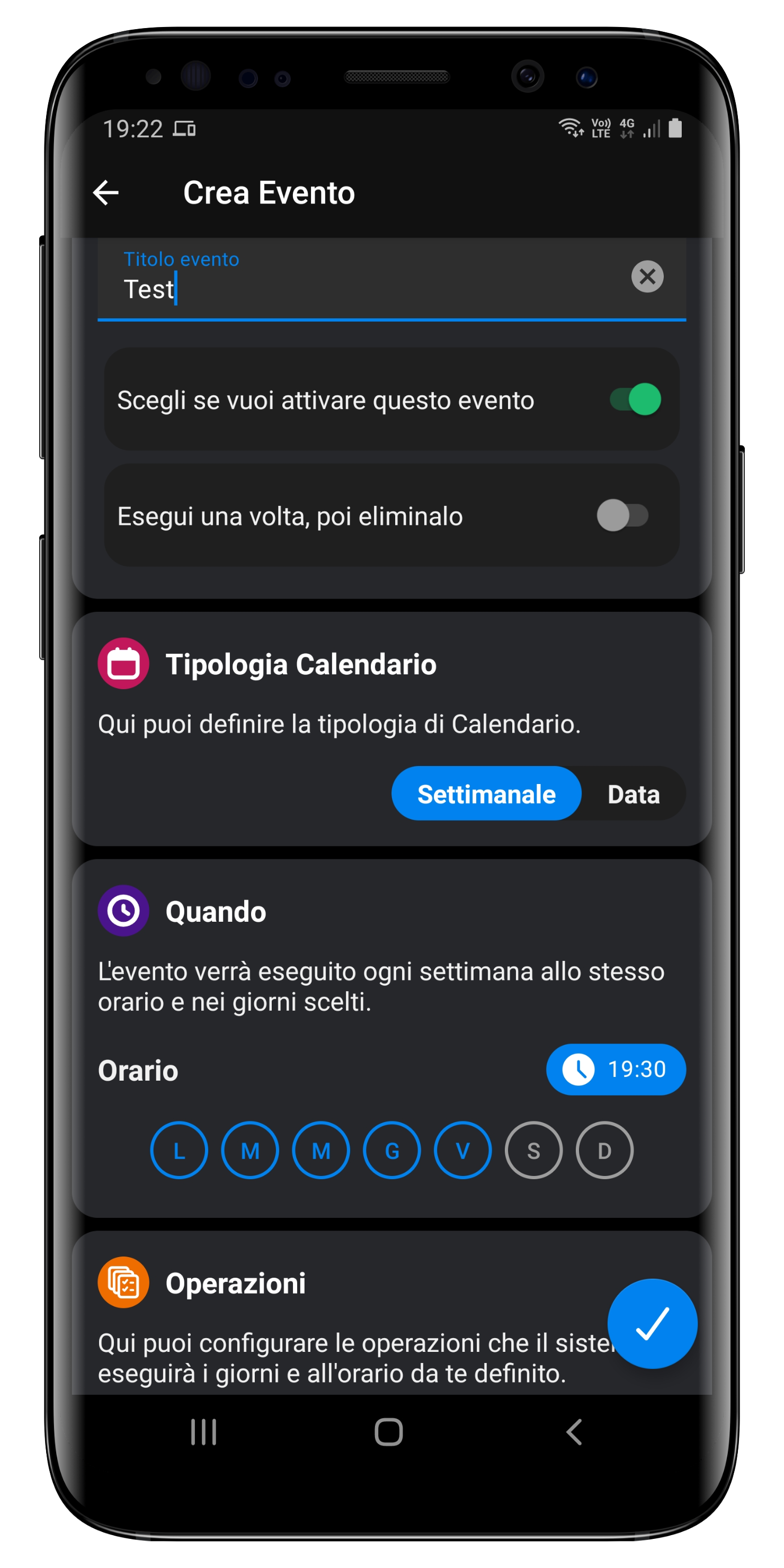
Potete definire l'orario di esecuzione e i giorni della settimana per i quali volete che sia valida la programmazione; cliccate su *Imposta Operazioni* per definire la lista di operazioni che desiderate (potete definirne quante ne volete).